

Losing contacts from android phone happened unexpectedly, so we need to backup them to computer frequently. But as you know, we can't do that directly, we need an android file manager to help. Now I'll guide you how to transfer contacts from android phone to pc easily with Coolmuster Andorid Assistant.
Step 1:Connect Android Phone to pc
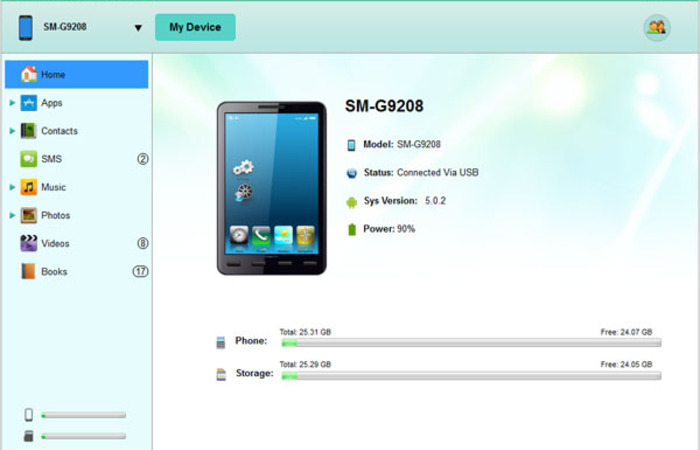
The first thing you need to do is to download and install the Android contacts manager on your pc and launch it. The next is connect your Android phone to pc via usb cable. Your device will appear on the screen. The manager would recognise your android device automatically.
Notice: If this is the you connect android phone to the problem on computer, you should enbale USB debugging first, and install a USB driver on your computer, then the app would detect your android phone automatically.

For Android 2.3 or older, Go: "Settings" < Click "Applications" < Click "Development" < Check "USB debugging".
For Android 3.0 to 4.1: Enter "Settings" < Click "Developer options" < Check "USB debugging".
For Android 4.2 or newer: Enter "Settings" < Click "About Phone" < Tap "Build number" for several times until getting a note "You are under developer mode" < Back to "Settings" < Click "Developer options" < Check "USB debugging"
Step 2:Select Contacts and Start Export
You can find many icon on the left, find "Contacts" and click it, all contacts on your android phone will be listed on the right. Then select and check you want to transfer, at last click "Export" to start the work. By the way, you can click "New" on the top to add contacts to your android phone.
That's allï¼We can also use it to backup other kinds of data from android phone data to computer, like sms, media files, etc.
http://coolmuster-android-assistant.en.softonic.com/
http://download.cnet.com/Coolmuster-Android-Assistant/3000-18511_4-76035854.html




Comments (0)
No comments yet. Be the first to comment.